
Turn an idea into a full song with vocals
Start with a genre, a mood or a few lines of lyrics. Use Suno to turn the idea into a music draft you can listen to and refine.
Try Suno ↗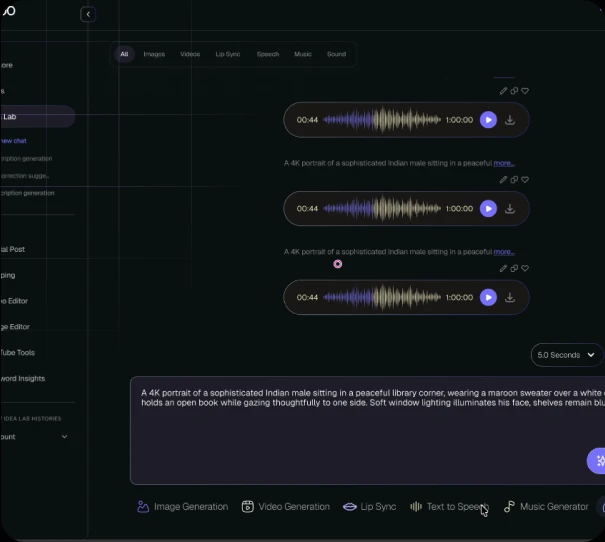
- Made by
- Suno
- Model type
- AI music model
- Input
- Description or lyrics
- Best for
- Songs with vocals from an idea
What is Suno?
Suno is an AI music tool that turns a description or lyrics into a song. Describe the genre, instrumentation, pace and kind of voice you have in mind to guide the result.
Try different takes and refine the strongest one. A clear brief is especially useful when the song needs to support a video, campaign or podcast.
What Suno does best
- Develop a melody, vocals and production from a brief.
- Start with your own lyrics or use a description.
- Explore several musical directions before choosing a take.
- Build a chorus or a short jingle around a hook.
- Revise the brief to explore a different voice or arrangement.
How to use Suno on Keoo AI
- Open Idea Lab and choose the music generation workflow.
- Select Suno if it is available in your workspace.
- Describe the genre, mood, tempo and voice. Add lyrics if you have them.
- Generate a draft, listen to it and refine the parts that need work.
What you can make with it
- Jingles for adverts and brands
- Demo tracks for songwriters
- Background music for social video
- Theme songs for podcasts and shows
- Songs for birthdays, weddings and gifts
How to write a Suno prompt
A simple formula for a more intentional first take.
- Name a genre and mood, such as upbeat Afrobeats for a summer campaign.
- Label song sections with Verse, Chorus and Bridge.
- Describe the vocal delivery and backing instruments.
- Start with a short brief and adjust one detail at a time.
Suno prompt examples
Feel-good brand jingle
Upbeat Afrobeats with bright guitar, hand percussion and a warm female vocal. Give the chorus a short, memorable hook about starting something new.
Questions people ask
Can I use my own lyrics in Suno?
Yes. Add your lyrics in a workflow that supports custom lyrics, and mark the sections to guide the arrangement.
How do I pick a music model?
Check the music options in your workspace. Choose a model based on the kind of song you want to make.
How many credits does a song use?
Check the current estimate in Keoo AI before generating. The options and cost depend on the model and settings.
Create more with Suno on Keoo AI
Start with a song idea and build it into a draft for your next project.
Try 7 days free ↗