
Turn your long video into more content to share
Upload a long video or add a YouTube link. Keoo AI Video Clipping finds strong moments and turns one recording into up to 10 short clips for TikTok, Instagram Reels and YouTube Shorts.
Explore AI Video Clipping ↗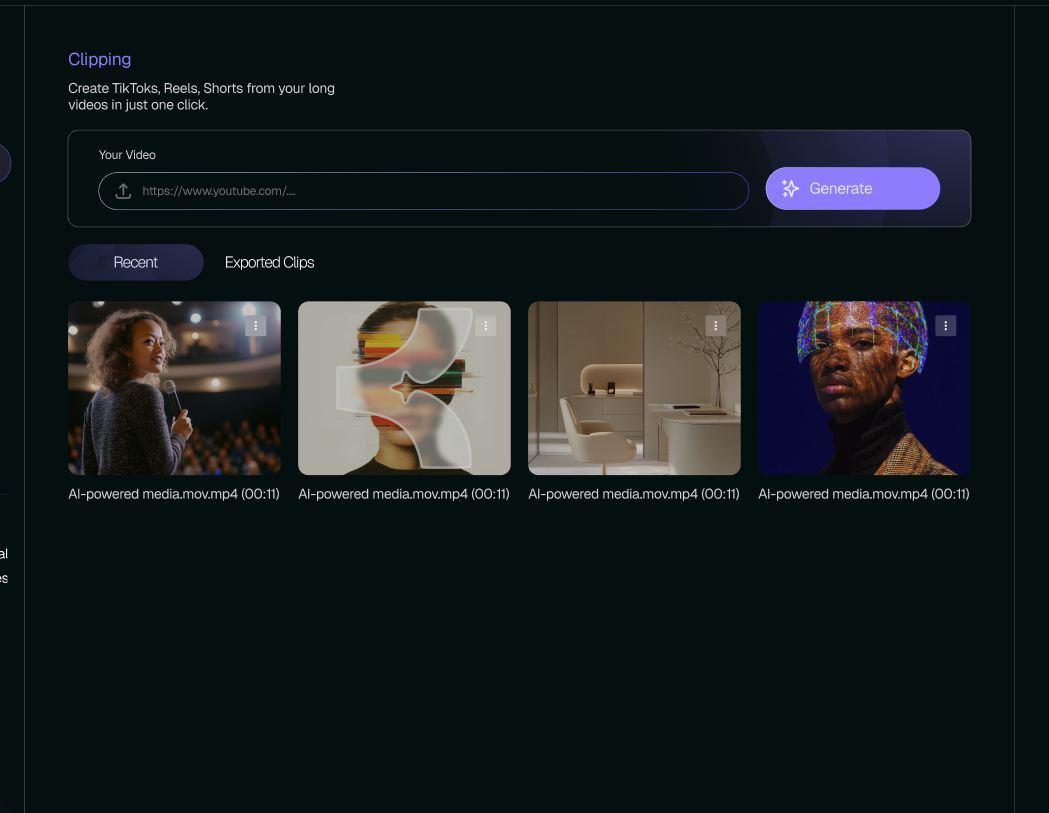
What is AI Video Clipping
AI Video Clipping repurposes long-form videos into multiple short clips. Keoo identifies strong moments from your recording and transforms them into short-form content for social platforms.
Start with a video upload or a YouTube link. From one long video, you can generate up to 10 clips, giving you more material to review and include in your publishing plan.
Make useful moments easier to discover
Someone scrolling a feed may not be ready to watch a full recording. A short clip gives them a smaller entry point. It can answer one question, explain one idea or share one practical tip.
The best starting point is a moment that makes sense without a long introduction. Review each clip for enough context: a new viewer should understand the subject, the main point and why it matters.
Get more use from your recordings
- Turn an interview answer into a focused short clip.
- Share a practical tip from a longer tutorial.
- Introduce a key idea from a webinar or presentation.
- Create supporting short-form content from a full-length video.
How to turn a long video into short clips
- Upload your long video or add a YouTube link.
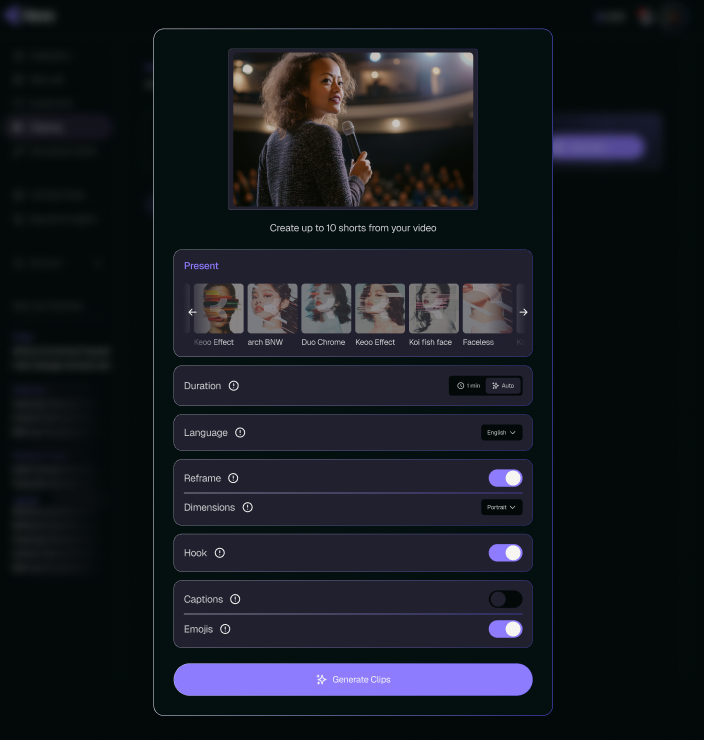
- Use Keoo’s clipping workflow to create shorter, reformatted content.
- Review the clip selection, framing and captions for clarity.
- Choose the clips that fit your audience and prepare them for your chosen platforms.
Help every clip stand on its own
Imagine you have recorded a tutorial about taking better photos indoors. One section explains how to use window light. That section could become a useful short clip if it introduces the problem, shows the technique and reaches a clear conclusion.
Check that the opening gets to the point and that the captions reflect what was said. If the advice depends on a detail from earlier in the recording, make sure a new viewer can still follow it. A shorter video should preserve the meaning of the original.
Plan the next step for interested viewers
Decide what someone should do after watching. They might watch the full tutorial, explore your channel or learn more about a product. Match that invitation to the content of the clip.
You can also use Keoo Social Post to develop supporting social content, or explore YouTube Tools when preparing titles and descriptions. Together, these tools help you build a wider publishing plan around an existing recording.
Frequently asked questions
How many clips can I create from one video?
Keoo can generate up to 10 short-form clips from a single long video. Review the results and choose the clips that work best for your audience.
Can I start with a YouTube link?
Yes. You can upload a video or add a YouTube link to begin the clipping workflow.
Will clipping guarantee more views?
No. Results depend on the content, audience and how it is presented. Clipping gives you more ways to share a recording; it does not guarantee reach.
Find your next short video in a recording you already have
Start with one long video and turn its useful moments into shorter content.
Explore AI Video Clipping ↗