
Turn your next idea into something people can see and hear
A product launch. A video concept. A story you want to tell. Start with an idea and use Keoo AI Idea Lab to create the images, video and audio that bring it to life.
Explore Idea Lab ↗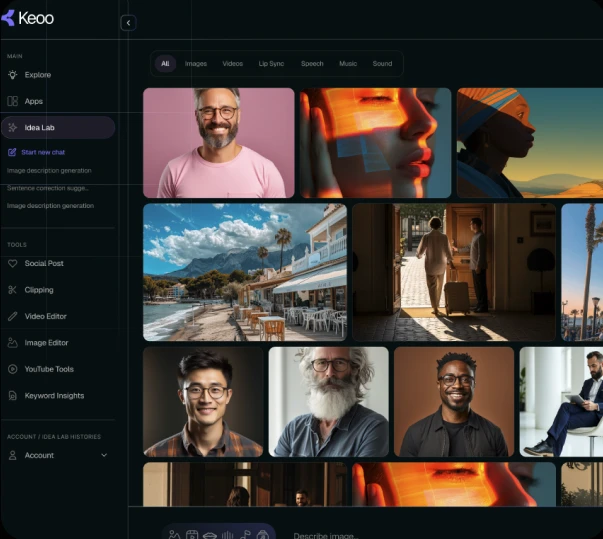
What is Keoo AI Idea Lab
Idea Lab is your creative workspace for generating images, videos, music, voiceovers and sound effects in a single chat. Choose an AI model, enter your prompt, adjust the generation settings and create without moving between different platforms.
It is useful when you know what you want to communicate but do not yet have the assets. Instead of leaving your concept in a notes app, you can start testing how it could look and sound.
Create the pieces your content needs
- Text to image: describe a subject, setting or style to generate a visual.
- Image to image: use an existing image to explore a different style or version.
- Text to video and image to video: turn a written idea or still image into moving content.
- Text to audio: turn written words into a voiceover.
- Music and sound effects: create audio to support the mood of your content.
Give your idea a clearer starting point
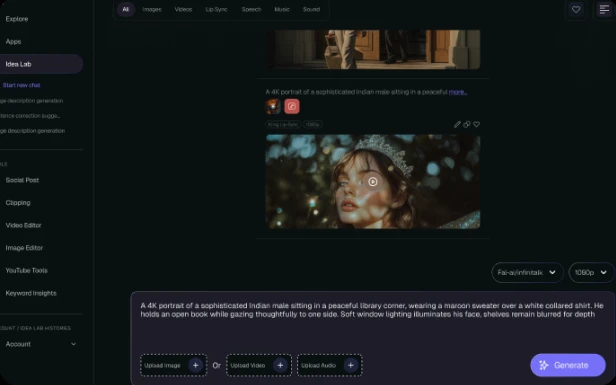
You do not need a complicated prompt. Begin with the subject, the audience and the feeling you want to create. Then add details that matter, such as the setting, colour palette or camera movement.
For a coffee launch, an example brief could be: ‘A close-up of an iced coffee on a bright café table, soft morning light, fresh summer feeling.’ That gives you a concrete direction to explore. You can then plan a short video and a voiceover around the same message.
Choose your model and revisit your ideas
Idea Lab brings a choice of creative AI models into the same workspace. Select the available model that fits the media you want to generate, then adjust the settings for your task. You can explore different directions while keeping your work in Keoo.
Your generation history gives you a way to find past outputs and return to earlier experiments. That is useful when you want to revisit a visual direction or continue an idea you set aside.
The world's leading AI models, in one place
How to use Idea Lab
- Choose what you want to create, such as an image, video or voiceover.
- Write a clear description or supply the starting image required by your chosen tool.
- Generate a result and review how well it fits your brief.
- Refine your direction, then use the assets in your wider content workflow.
Build a story from your assets
A single visual can help you test a direction. A sequence can explain an offer, introduce a product or tell a fuller story. When you are ready to develop a video, explore Keoo’s AI Video Editor to build and refine the edit.
For creators, that can mean developing a video concept. For a small business, it can mean preparing assets for a new offer. For a marketer, it can mean exploring different creative approaches before committing to a campaign. Start with one useful piece, then build around it.
Frequently asked questions
Do I need design or editing experience?
Idea Lab is designed to help beginners as well as experienced creators. A clear brief helps you get started, and reviewing each result helps you decide what to change.
Can I start with an existing image?
Yes. Idea Lab includes image-to-image and image-to-video tools, so an image can be the starting point for another visual or a moving scene.
Does every generation use the same number of credits?
No. Credit use depends on the generation and model. Check the current options and credit requirements in Keoo before generating.
Give your idea a first draft
Choose one idea, describe it clearly and start creating the assets for your next project.
Open Idea Lab in Keoo ↗