
Give your existing content more places to be seen
You have already written the article or recorded the video. Keoo AI Social Post helps you turn that work into social content, so one useful idea can support more of your publishing plan.
Explore Social Post ↗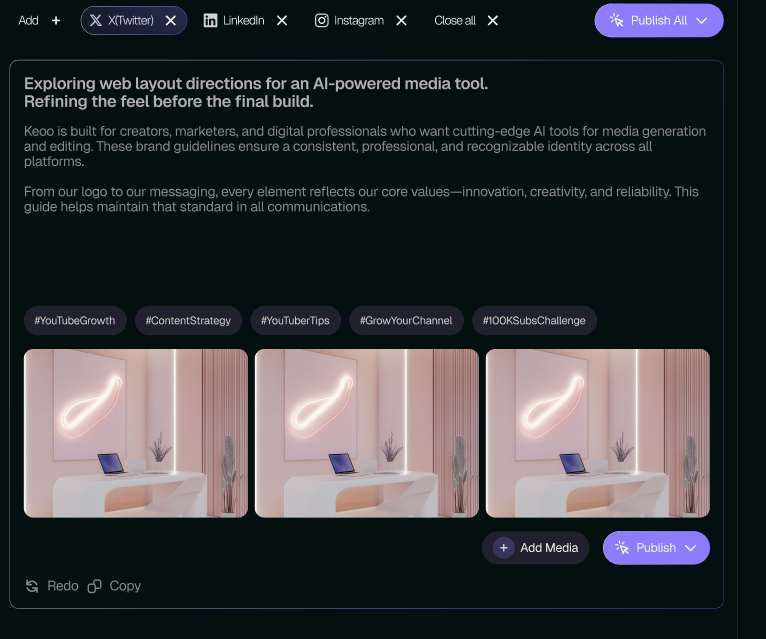
What is Keoo AI Social Post
Social Post is Keoo’s AI social media post generator. Turn text, articles, audio, documents, TikTok videos or YouTube videos into social content. Start with material you already have, then create and refine your post directly inside Keoo.
When the post is ready, publish it immediately or schedule it for later across your connected social accounts. You can prepare the content and manage that next step from one place.
Find more than one message in a single source
A helpful article often contains several ideas worth sharing. The introduction might explain a problem. A section in the middle might offer a practical tip. The conclusion might invite the reader to take a next step.
Use those different angles to give each post a clear purpose. A post should make sense on its own, even when someone has not read the article or watched the full video. Keep the main point easy to spot and give people a reason to keep reading.
Create around the work you already do
- Turn an educational article into posts that introduce its key ideas.
- Use a video as the starting point for supporting social content.
- Bring approved information from a document into your social messaging.
- Plan follow-up posts around a launch, tutorial or customer question.
How to use Social Post
- Choose your source: text, an article, audio, a document, a TikTok video or a YouTube video.
- Use Social Post to generate content from that source.
- Review the wording, facts and tone for your audience and chosen platform.
- Use Keoo’s publishing or scheduling options to plan the approved content.
One article can support a useful series
Suppose your business publishes a guide to caring for indoor plants. You could develop one post about watering, another about light and a third about the signs of overwatering. Each post would answer a specific question while giving readers a reason to explore the full guide.
The same approach works for tutorials, explainers and product education. Choose a useful point for each post, then adapt the opening and call to action to suit the platform. You are giving the original work more opportunities to help someone.
Build a routine you can maintain
Consistency is easier when you have a source of useful material. Start with content you trust, prepare a small set of posts and review them together. Then decide when each one belongs in your schedule.
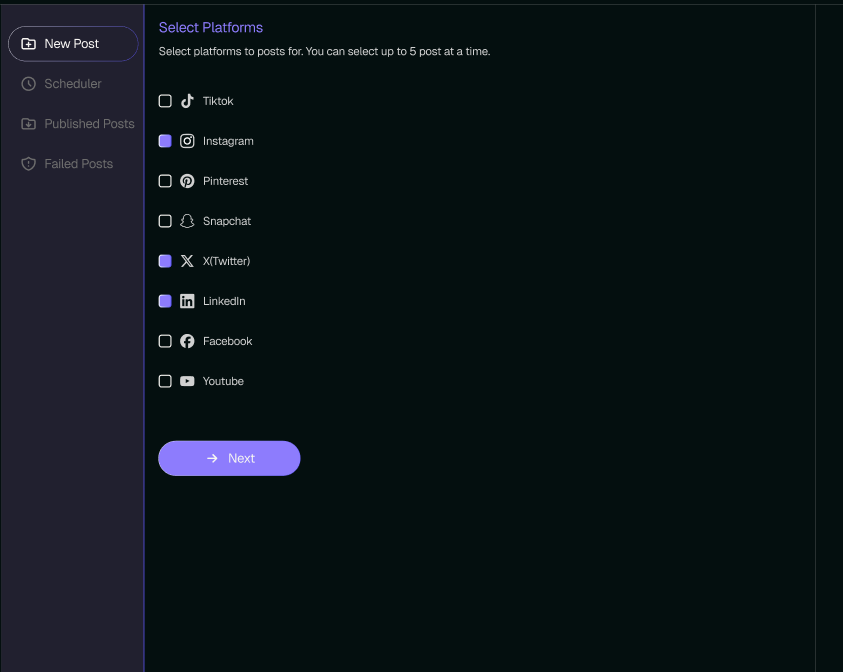
Keoo supports publishing or scheduling across platforms including Instagram, TikTok, YouTube Shorts, Facebook, LinkedIn, Pinterest and X. Check the available connections and format requirements when preparing each post.
Frequently asked questions
Can I create posts from existing content?
Yes. You can start with text, articles, audio, documents, TikTok videos or YouTube videos, then refine the generated post inside Keoo.
Can I schedule posts with Keoo?
Yes. Keoo includes social post scheduling and publishing tools. Review the available account connections and publishing options in your workspace.
Should I use the same wording on every platform?
Adapt the message to the audience and format. Keep the core point consistent, but review the length, opening and call to action for each post.
Make your next post from something you already have
Choose a useful article, video or document and turn its ideas into social content.
Explore Social Post ↗